Update Aadhaar Card Data Online
If your personal details like address, mobile number etc have changed since you enrolled for Aadhaar or the details entered are incorrect since beginning then here’s the chance to update the details online provided you have the relevant documents supporting the updation.
Here’s how you can do it:
- Navigate to portal.uidai.gov.in/updatePortal/login.action
- Enter your Aadhaar number
- You will sent an OTP (one time password) on your registered mobile.
- Key in the OTP and captcha text and click Login.

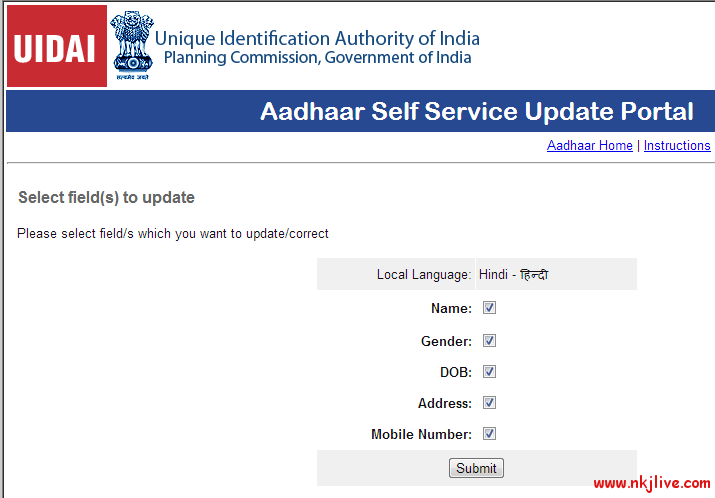
- Chose the changes you wish to do like name, gender, date of birth, address or mobile.
- Click Submit.
- Update the changes on form.
- Verify that the translation to your local language is correct as you wish to see in your Aadhaar card.
- Click Submit update request.

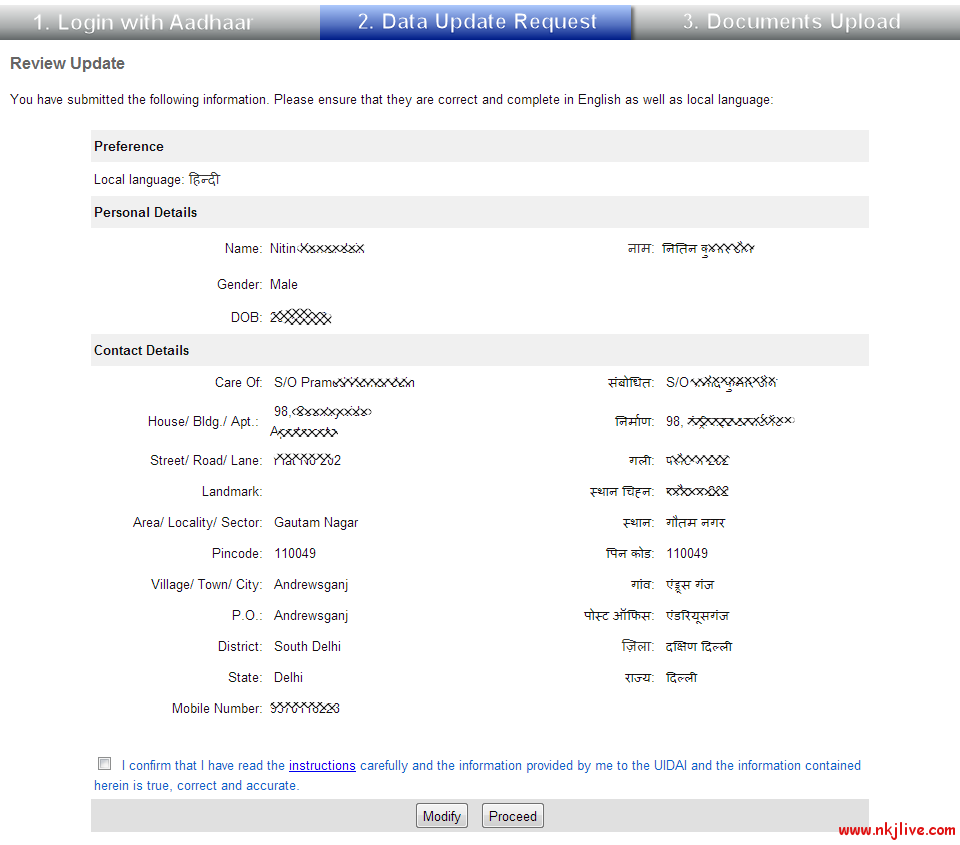
- You will be presented with a review update page where you can review the changes and say proceed.
- Update self attested relevant documents and submit. Please click here for the valid list of documents.
- You will be provided with a URN for your reference.
- You can use this URN for checking the status of your update here portal.uidai.gov.in/updatePortal/updateStatusLogin.action
Note:
- Here’s the complete list of instructions of using the update portal: portal.uidai.gov.in/updatePortal/jsp/CompleteInstructions.jsp
- Submission of information for update does not guarantee update of Aadhaar data. The information submitted is subject to verification and validation.
-
You can also send the Update Request through Post
-
Aadhaar Data Update/Correction Form For Request Through Post (Click here)
-
Instructions for Sending Update Request Through Post (Click here)
-