


Track Your “KYC” Status Online
Know Your Customer or KYC as it is better referred to as is the bank regulation that financial institutions and other regulated companies must perform to identify their clients and ascertain relevant information pertinent to doing financial business with them.

The objective of KYC guidelines is to prevent banks from being used, intentionally or unintentionally, by criminal elements for money laundering activities. KYC procedures also enable banks to know/understand their customers and their financial dealings better which in turn help them manage their risks prudently.
KYC is primarily done when you apply for a DEMAT account / initiate activating Mutual Fund and elsewhere the money laundering activities are possible.
There is not much you need to do to get KYC done. You just need to fill up a form (that you can get from the financial institution you are associated with) and submit it along with a copy of PAN card and some address proof document.
After you have submitted these documents, it takes close to a month for KYC process to get completed.
CVL India is responsible of doing the KYC check. CVL or CDSL Ventures Limited is a wholly owned subsidiary of Central Depository Services (India) Limited (CDSL), a leading securities depository in the India.
You can check the status of your KYC application by just entering your PAN and fetching the status.
Visit KYC status check link.
Enter your PAN and select Submit
Your KYC application status is displayed.

If you have submitted your KYC application just now, wait for couple of days for it to reach them and update their system.
Update: 7th Apr 2011
After around two months of form submission, KYC status changed to Verified.

Update: 7th Jan 2013
Based upon the information from one of our readers, CVL has moved the KYC status check page.
- Visit KYC status check updated link
- Enter your PAN or Name, DOB & Exempt Category
- Enter Captcha code and click Submit
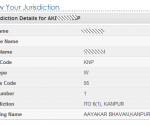
- Your record will be displayed



Not working for me, I tried to get details using my PAN no. It says Invalid data.
Have you submitted KYC application recently??
I get the message saying “FRONT OFFICE & PHYSICAL VERIFICATION DONE”. Does it mean that KYC is verified and the process is completed or should I still wait?
Not yet .. you should wait for it to show verified …
after verified status how to proceed so as to get a username and password.
You should contact your bank …
FOR SUBMITTING MUTUAL FUND KYC OR TO COMPLY WITH KYC FORMS CONTACT – AMIT SURPURIYA – 9850873688
PURCHASE / REDEMPTION / SWITCH OF ALL MUTUAL FUND – NO SERVICE CHARGES
Thanku
when i put pan card no. It says invalid data
You might not have submitted your documents for the KYC
i submited all document whichever is required. Bank also say that in bank kyc is done but when i saw kyc status then show invaild data
did your KYC is done recently?? It doesn’t maintain KYC record forever but only the recent ones …. check your bank for more details …
Today i also put pan no. but it says invaild data
Did you check your bank ???
Bank say that kyc is done but when i put pan card no. then says invalid data. I told to bank about my problem but they didn’t agreed. They says that your kyc is done then what i do.
If KYC is done as per them then what is the problem … why do need to check status online then??
Because i want to sell my mutual fund. They want kyc status so they check kyc status online.
See in my case it took 2 months … how much time yours has already taken ??
dear sir my status is showing verified and now i want to get details of filled in kyc form during apply how can i get and from where the detail of current verified kyc . it was completed one year back. so now i want to check whether some alteration is needed in previous information or no. reply must….. 9621249639
You can take the printout and submit it with the forms ….
Can not open the KKYC status software as its a Window application and I have Mac Ox
Not sure about that but I guess you should be able to do that .. its just a web link … nothing to be run on your system …
looks like they have a problem in their system …. hope you are entering correct PAN number without spaces, special characters like ‘ ” etc
Guys,
Site address was changed.
it is now https://www.cvlkra.com/
Click on KYC Inquiry link in this page.
Thanku .. I will update the post …